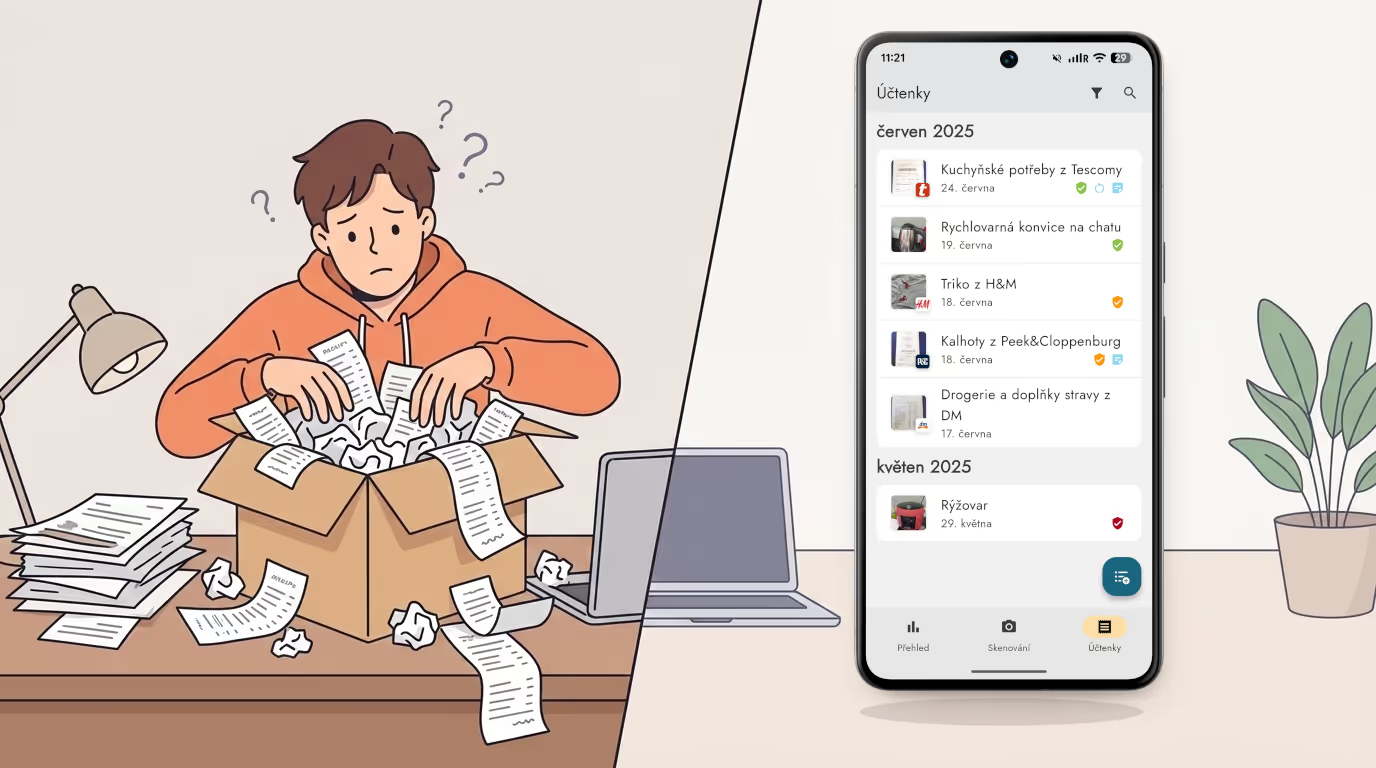
You have just bought new shoes, a washing machine, or a pair of headphones. You stashed the receipt somewhere — maybe in a drawer, maybe in a bag, maybe straight in the bin. And a year later, when the thing breaks? The receipt is gone, and there is no claim without it. Or another scenario: you have ten shoe receipts at home, and two years on you have no idea which one goes with which pair. Sound familiar? You can solve all of this once and for all with the Zespr app, which automatically tracks warranties, digitizes receipts from photos and PDFs, and lets you search, share, and export them.
Add a receipt in seconds
Adding a receipt to Zespr takes just a moment. Simply take a photo of the receipt — the app automatically pulls out every product, the total price, and the merchant. No manual retyping, no deciphering abbreviations. Every recognized product is automatically sorted into one of 13 categories and more than 60 subcategories, so you have a clear overview of your purchases right from the start.
Automatic warranties, no worries
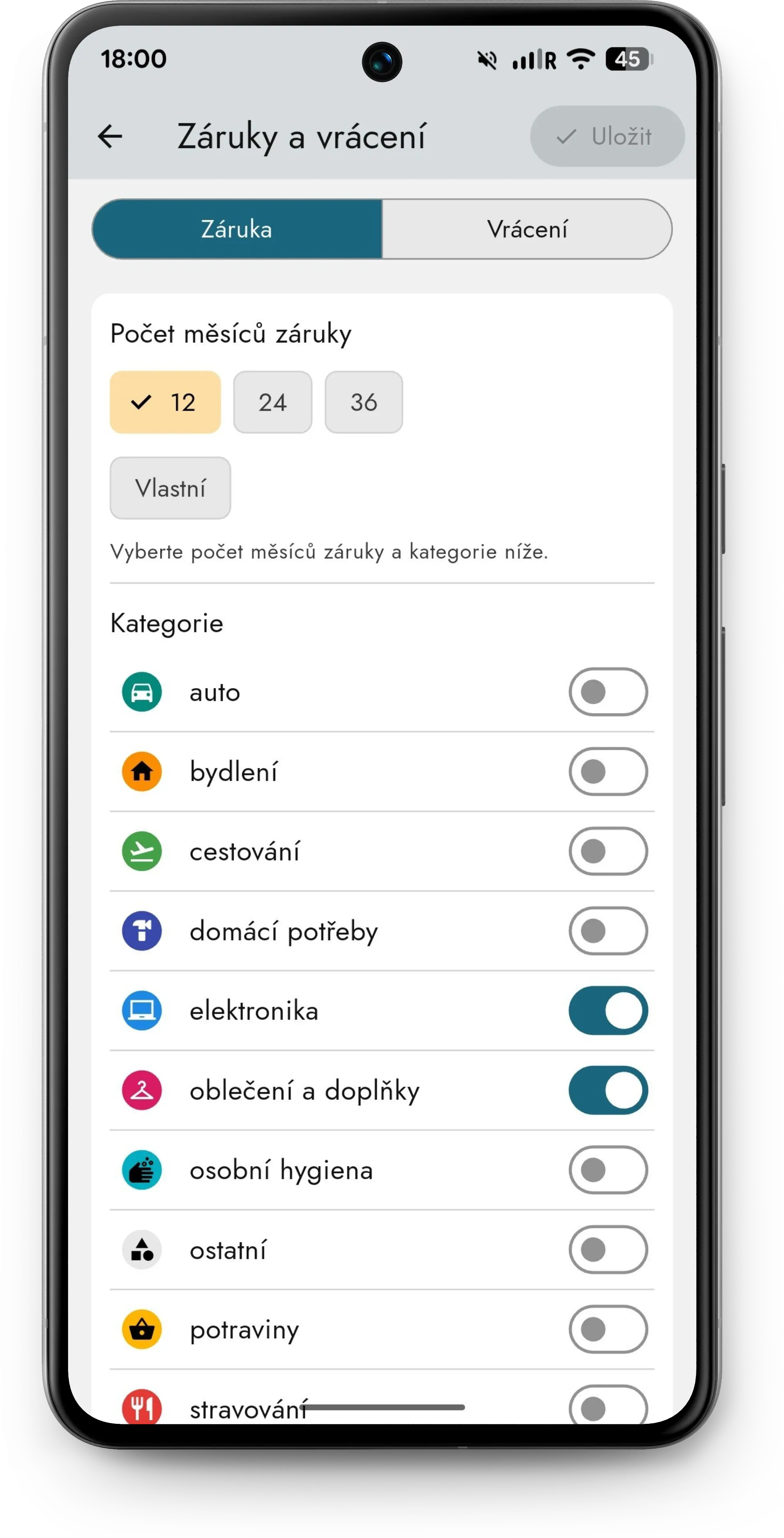
For each category you can set whether an automatic warranty should be applied and how long it should last — it is entirely up to you. As soon as you upload a receipt, Zespr automatically sets the warranty period based on the product category. You do not have to think about anything, and you will never miss a claim deadline. Did you buy an extended warranty for your computer? No problem — everything can be set individually for each receipt.
Zespr also supports tracking the statutory return period — if you shopped online, the app will remind you of the free return deadline.
An e-shop invoice or a missing receipt? No problem
Shopped online and do not have a paper receipt? Just open the invoice in your email and use the mobile Share function to send it straight to Zespr. The app handles both images and PDFs — so it does not matter what format your document is in. You can just as easily share receipts from loyalty apps like Albert, Lidl, or Kaufland.
Sometimes you simply do not get a receipt, or you lose it before you can photograph it. Zespr has that covered too — you can add a receipt manually. Thanks to an extensive database of merchants and products, it takes just a few taps.
Notes and photos: always know what belongs to what
Instead of scribbling on the receipt with a marker, you can add a note to each purchase — for example, “shoes for Annie” or “birthday gift”. And if you want to be completely sure, add a photo of the product right away. That way you can see at a glance which receipt goes with which pair of trousers.
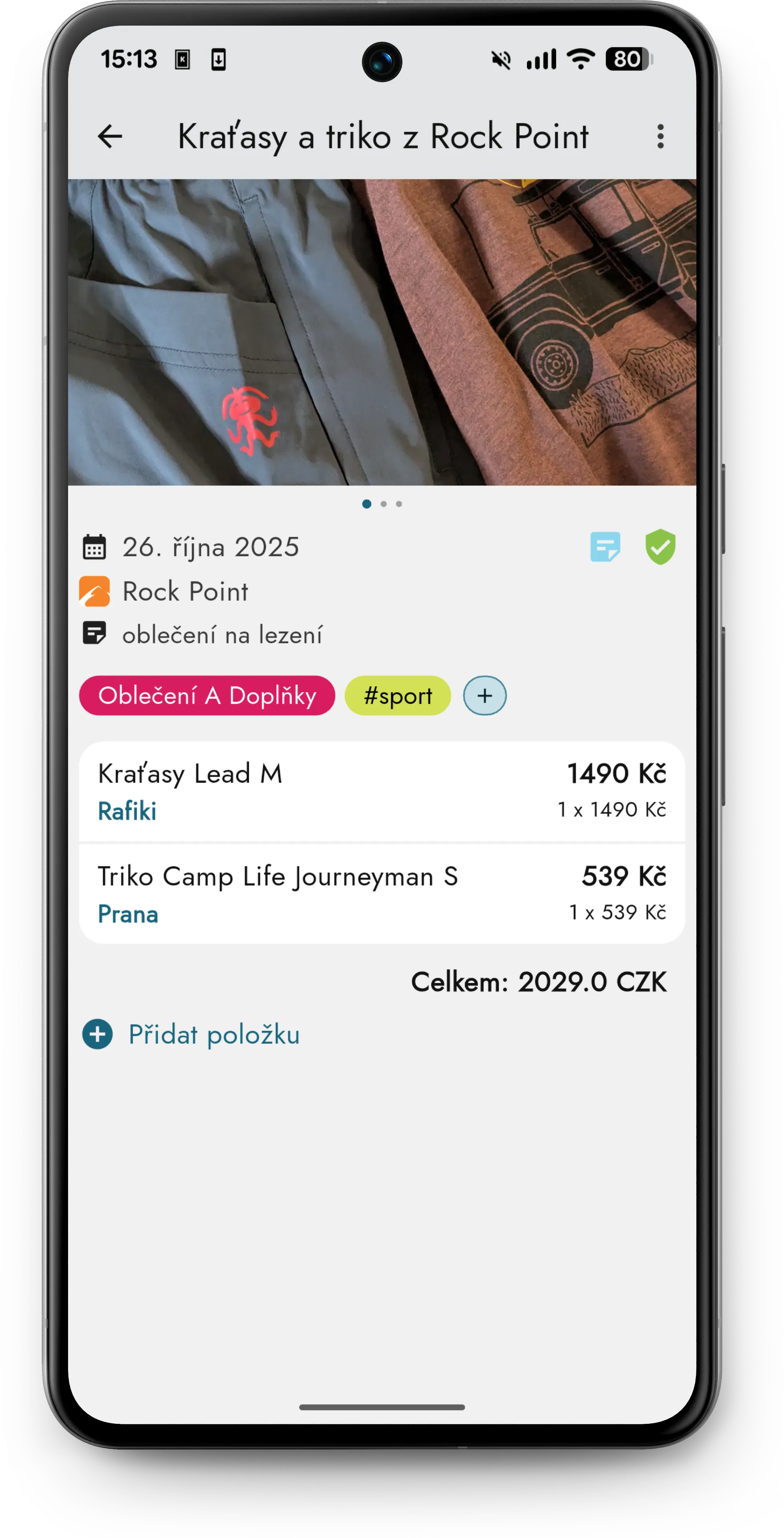
You can also add a card payment confirmation or any other supporting document — anything that helps you keep your purchases clear.
Find anything in seconds
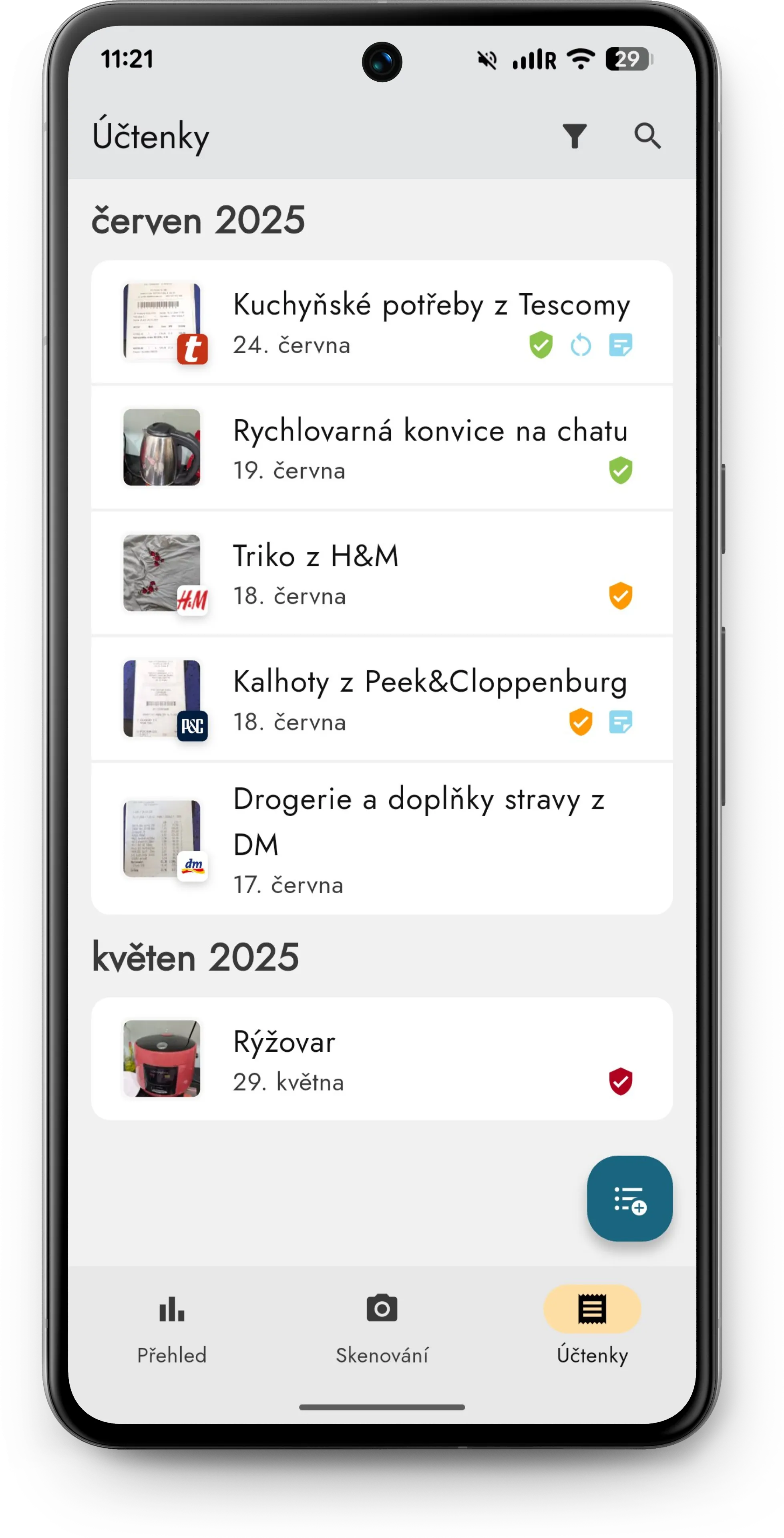
In Zespr you can easily search through your receipts. You do not need to remember the exact purchase date — just enter the merchant’s name, a product name, or a keyword from a note. Advanced filtering helps you find exactly what you are looking for.
Share a receipt when someone else needs it
Need to hand a receipt over to someone handling a claim on your behalf? Zespr generates a clear digital version of the receipt along with a link that you can simply share — including the original photo, of course.
Worried about losing your data? You do not have to be. All data is backed up on servers in Europe under your account. And you can export it to CSV or Excel at any time — your data belongs to you. Curious why Zespr is a paid app and how we protect your privacy?
So what are you waiting for?
It is time to throw out that box full of receipts. With Zespr you have all your purchases neatly in one place — with automatic warranties, notes, photos, and the ability to find anything in seconds.
Download Zespr on Google Play or the App Store and give it a try.