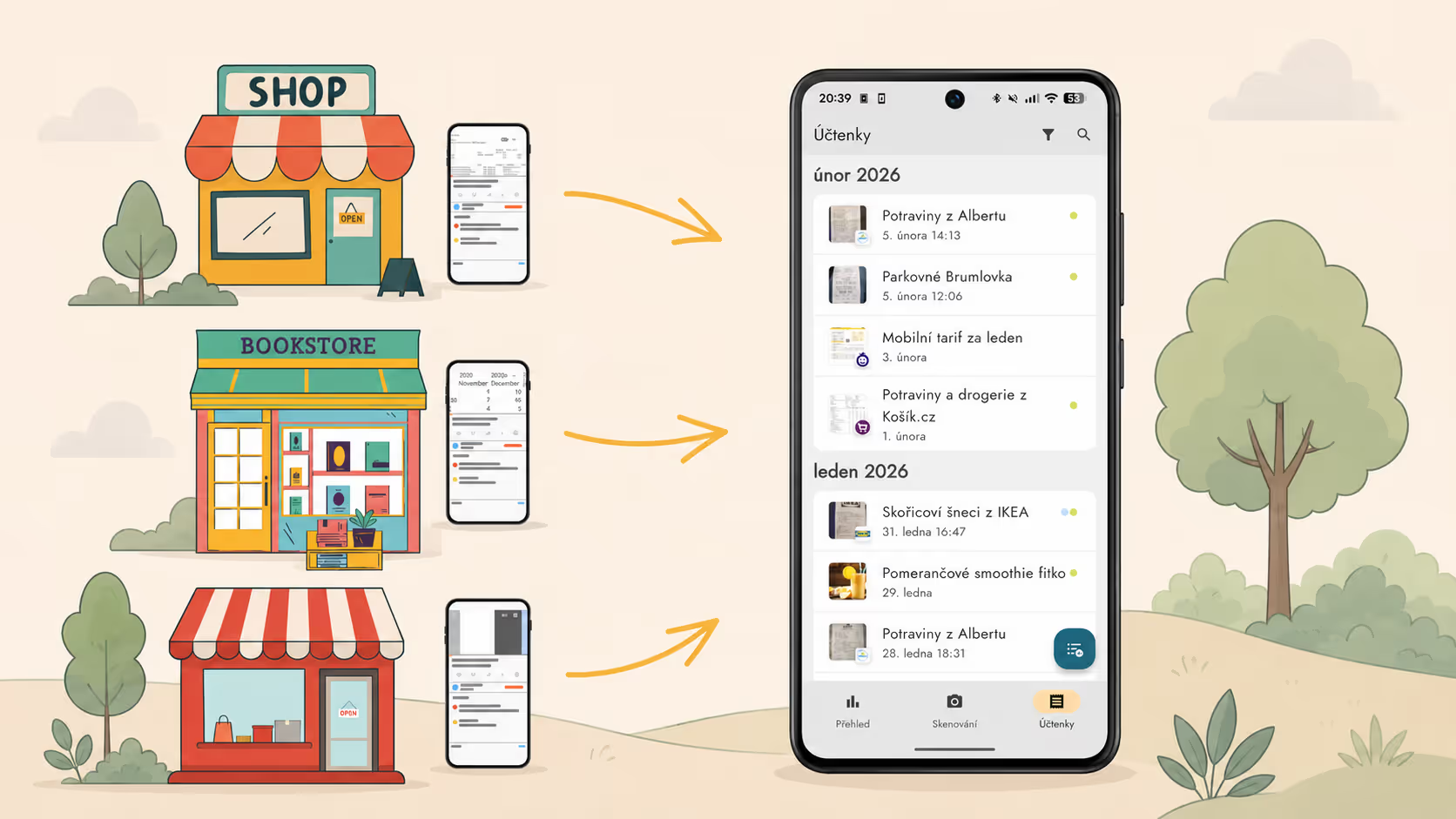
You can share images and PDFs from your phone into Zespr using the “Share” function. The maximum allowed PDF length is three pages. We will show you how easy it is to move receipts from the Můj Albert, Lidl Plus, and Kaufland Card apps into Zespr. Have a paper receipt? Read how to photograph it correctly so that Zespr processes it as accurately as possible. Wondering how to share into Zespr from a different loyalty app? Write to us at [email protected].
Albert
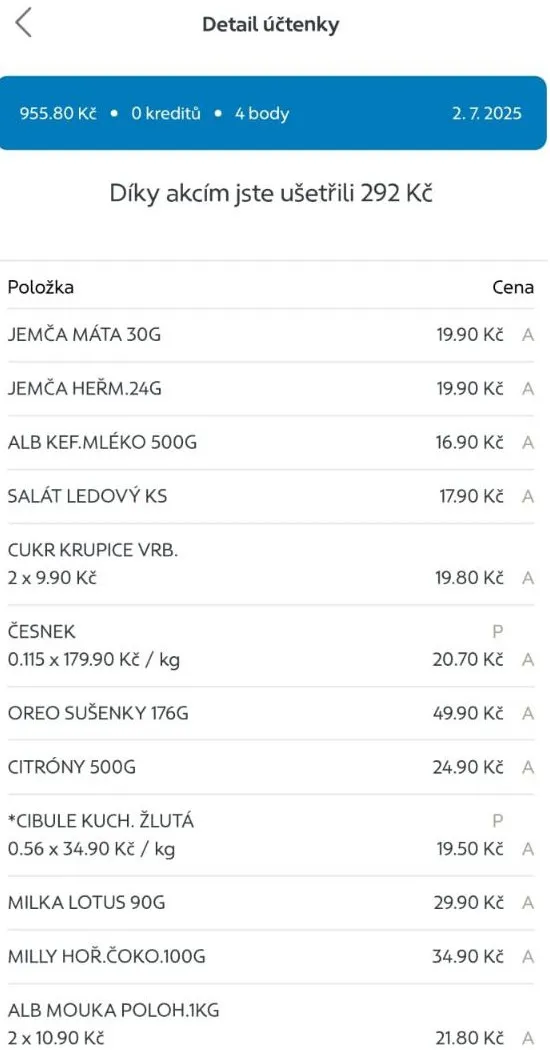
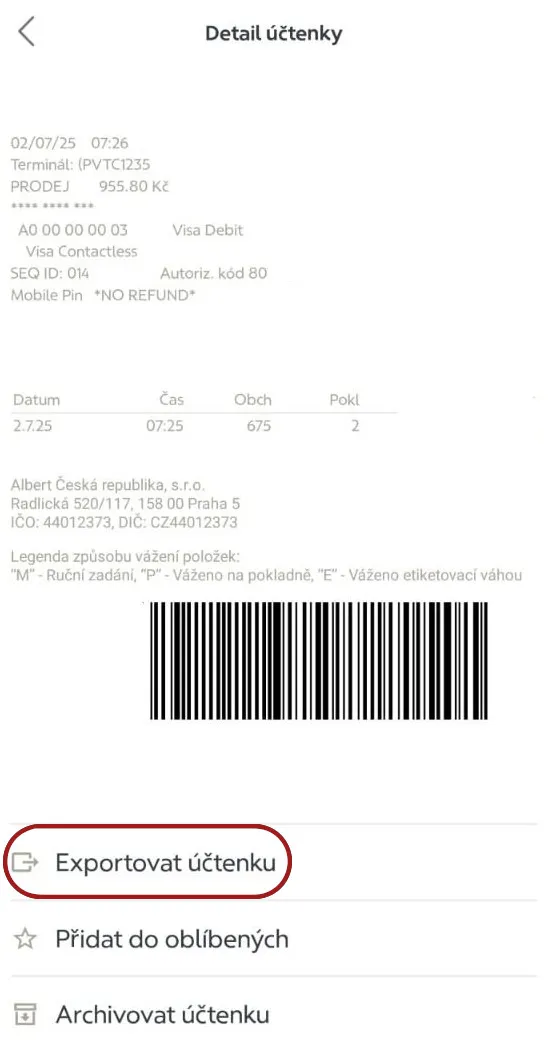
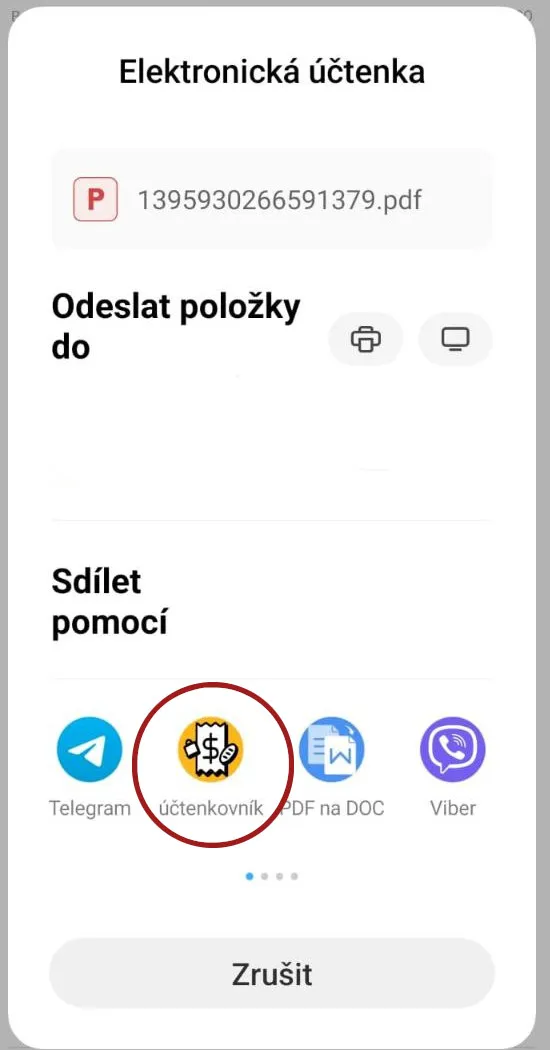
From the Můj Albert app you can share receipts into Zespr using the “Export receipt” function. In the app, go to Purchase History > Receipt Detail > Export receipt, then choose Zespr from the menu. You will be redirected to the receipts page and the receipt will start processing.
Lidl
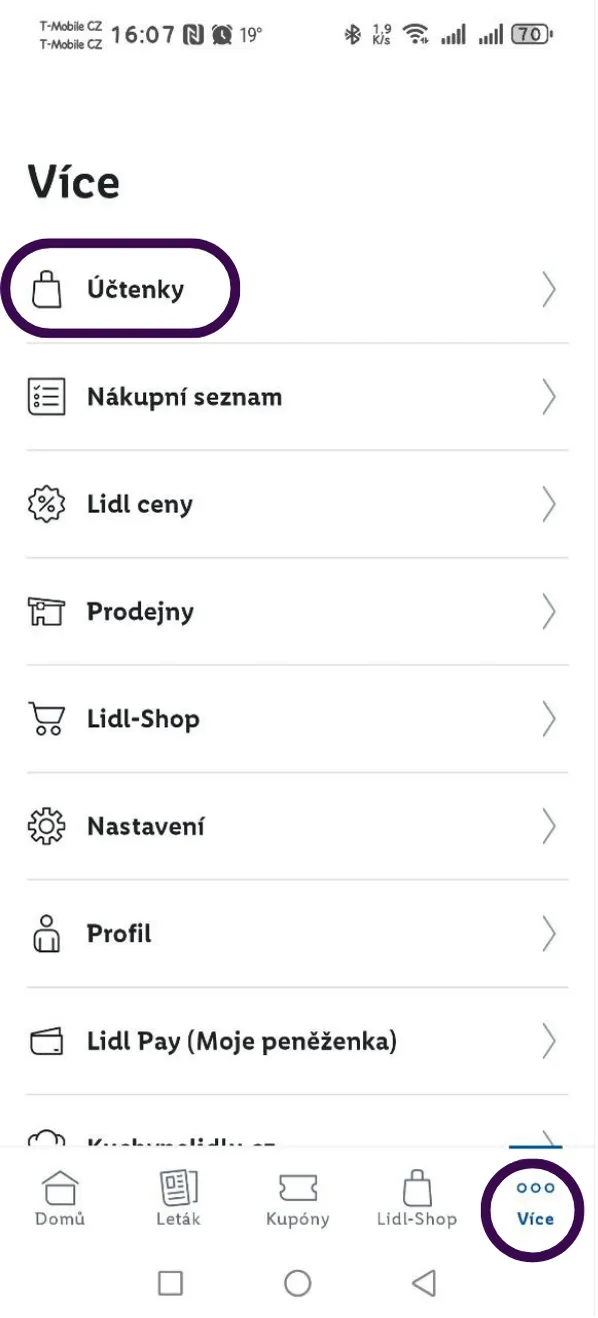
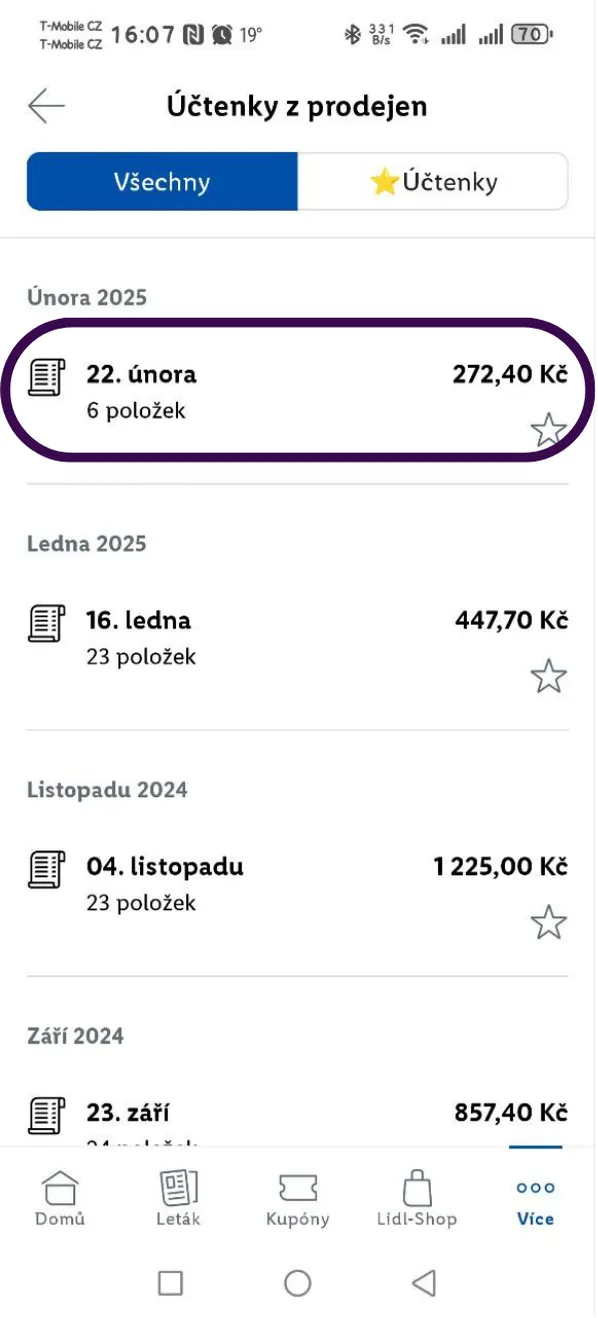
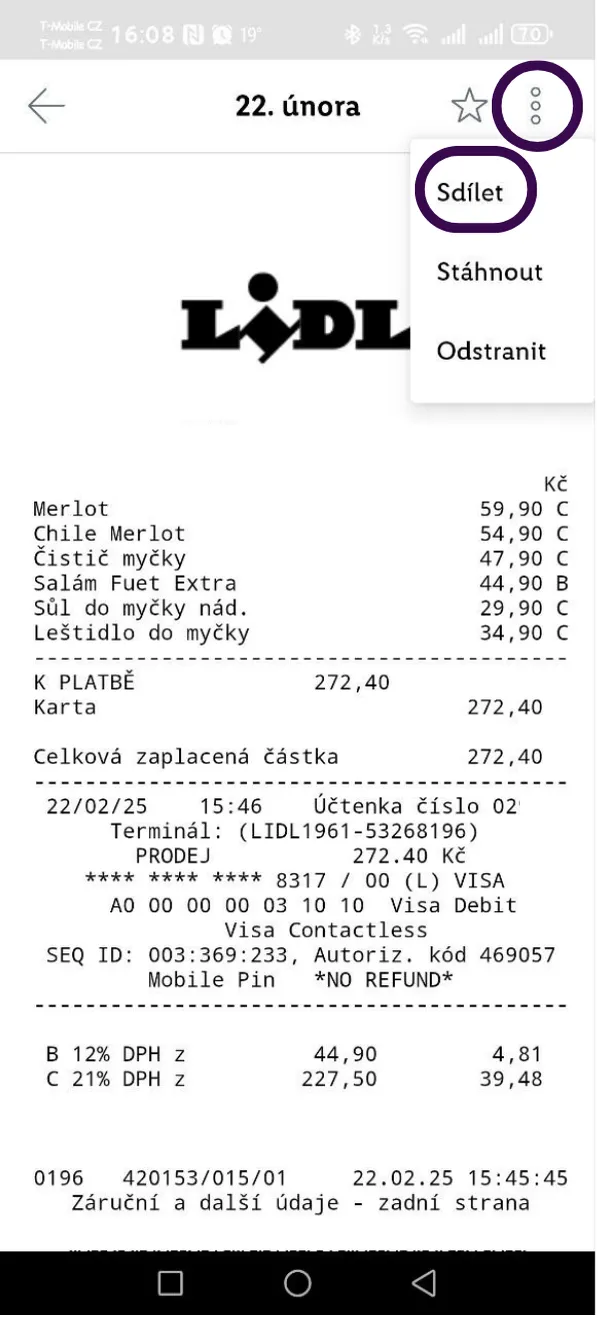
From the Lidl Plus app you can upload receipts into Zespr using the share function. In the bottom bar, select More > Receipts > In-store receipts, then choose the receipt you want. In the top right, tap the three dots > Share and select Zespr from the menu. You will be redirected to the receipts page and the receipt will start processing.
Kaufland
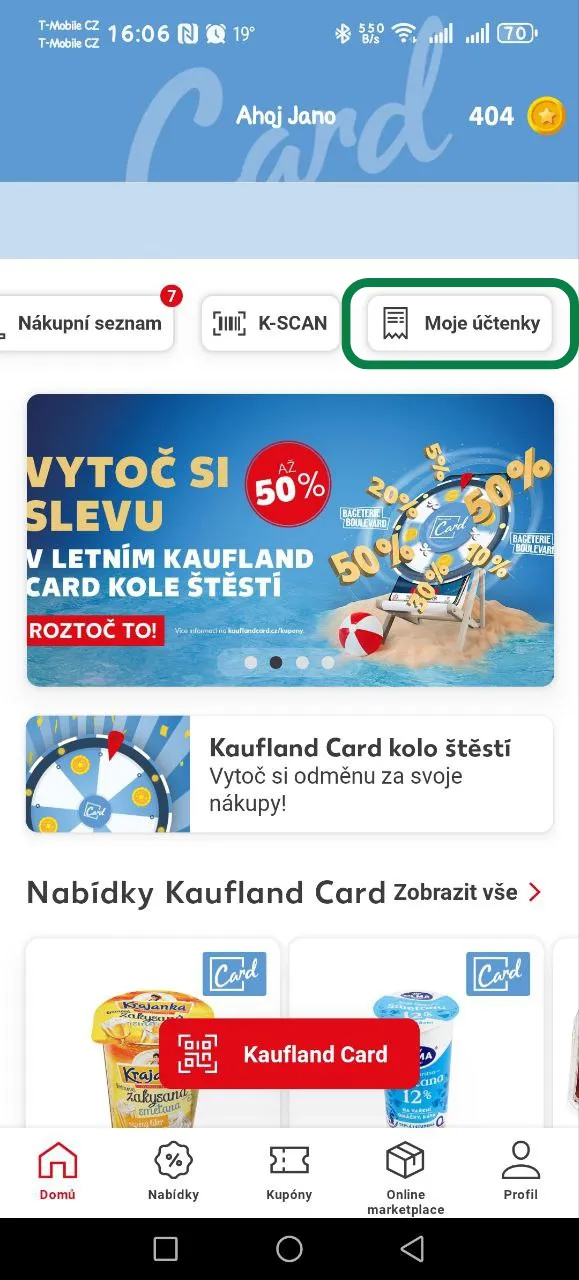
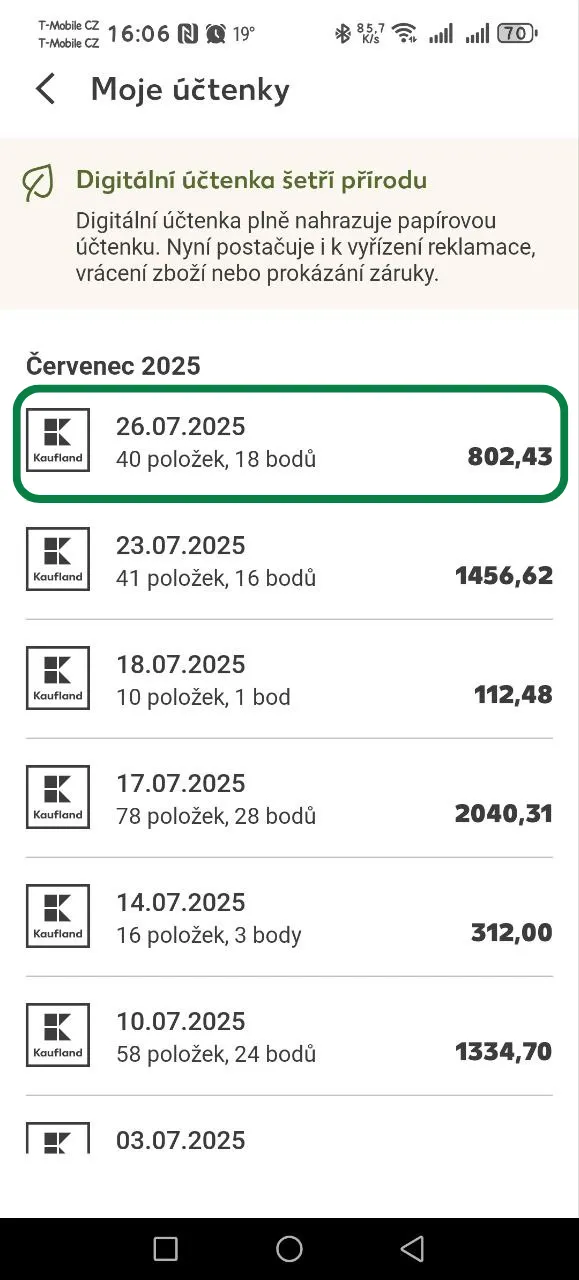
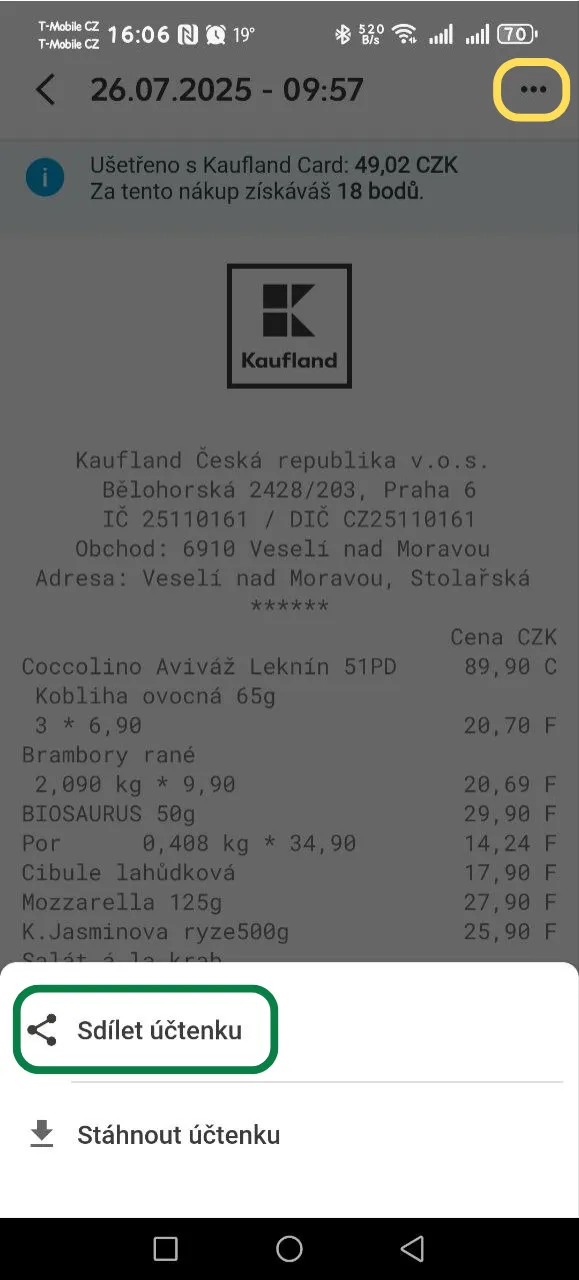
From the Kaufland app you can upload receipts into Zespr using the share function. In the top menu, open My receipts, then choose the receipt you want. In the top right, tap the three dots > Share receipt and select Zespr from the menu. You will be redirected to the receipts page and the receipt will start processing.
What next?
Once you share a receipt, Zespr automatically recognizes the products, prices, and merchant. On top of that, it can automatically track your warranties and remind you of return deadlines with no effort at all.
Download Zespr on Google Play or the App Store and give it a try.